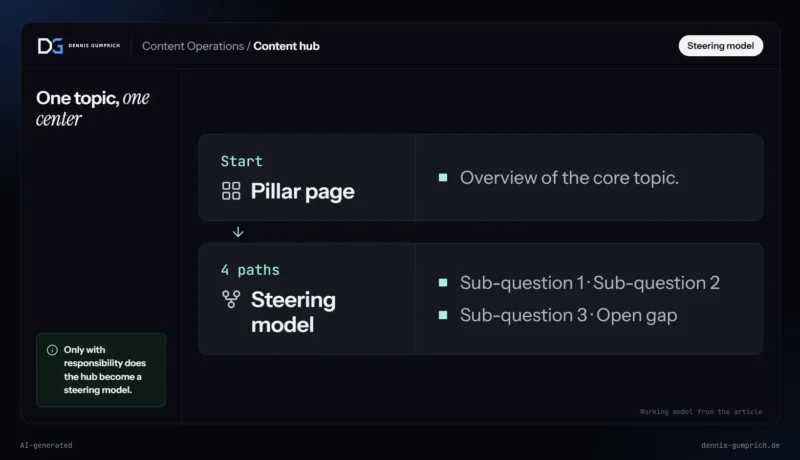

A content hub is not a category page with lots of links, but a steering model: one core topic, one overview and clear responsibilities for the in-depth articles.
A content hub bundles all content on a core topic on a central overview page, the pillar page, which links to in-depth articles and is linked back from them. The model goes back to the topic cluster principle that HubSpot Research described in 2017. It is becoming more important for AI search, because AI systems break questions down into sub-questions, and a hub covers exactly these sub-questions. In the team, however, a hub only works if it is run as a steering model: with a responsible person, a gap list and a maintenance rhythm.
What makes a content hub a steering model and how to build one is shown in the following sections. They start with a definition.
What is a content hub?
A content hub is an area of a website that brings together all content on a core topic in one place and opens it up through a central overview page. Visitors find an entry point, in-depth content and follow-up questions there without having to search.
In practice, there are several forms. A topic hub with a pillar page and cluster articles. A resource area with guides, templates and studies. A knowledge base or glossary. Or a newsroom that bundles press releases, background information and contacts. What they all have in common is that they organize content by topic, not by date. The term should not be confused with software products of the same name, such as HubSpot's Content Hub.
How is a content hub structured?
It consists of a pillar page that covers the core topic as an overview and several cluster articles, each of which goes deeper into one sub-question. The pillar page links to all cluster articles, and each cluster article links back.
The model was described in 2017 by HubSpot Research as the topic cluster model. The Content Marketing Institute summarizes the rules as follows: the pillar page gives an overview without going into too much detail. Cluster pages each cover one subtopic in depth and should not overlap. And the pillar page is best written last, to avoid duplication.
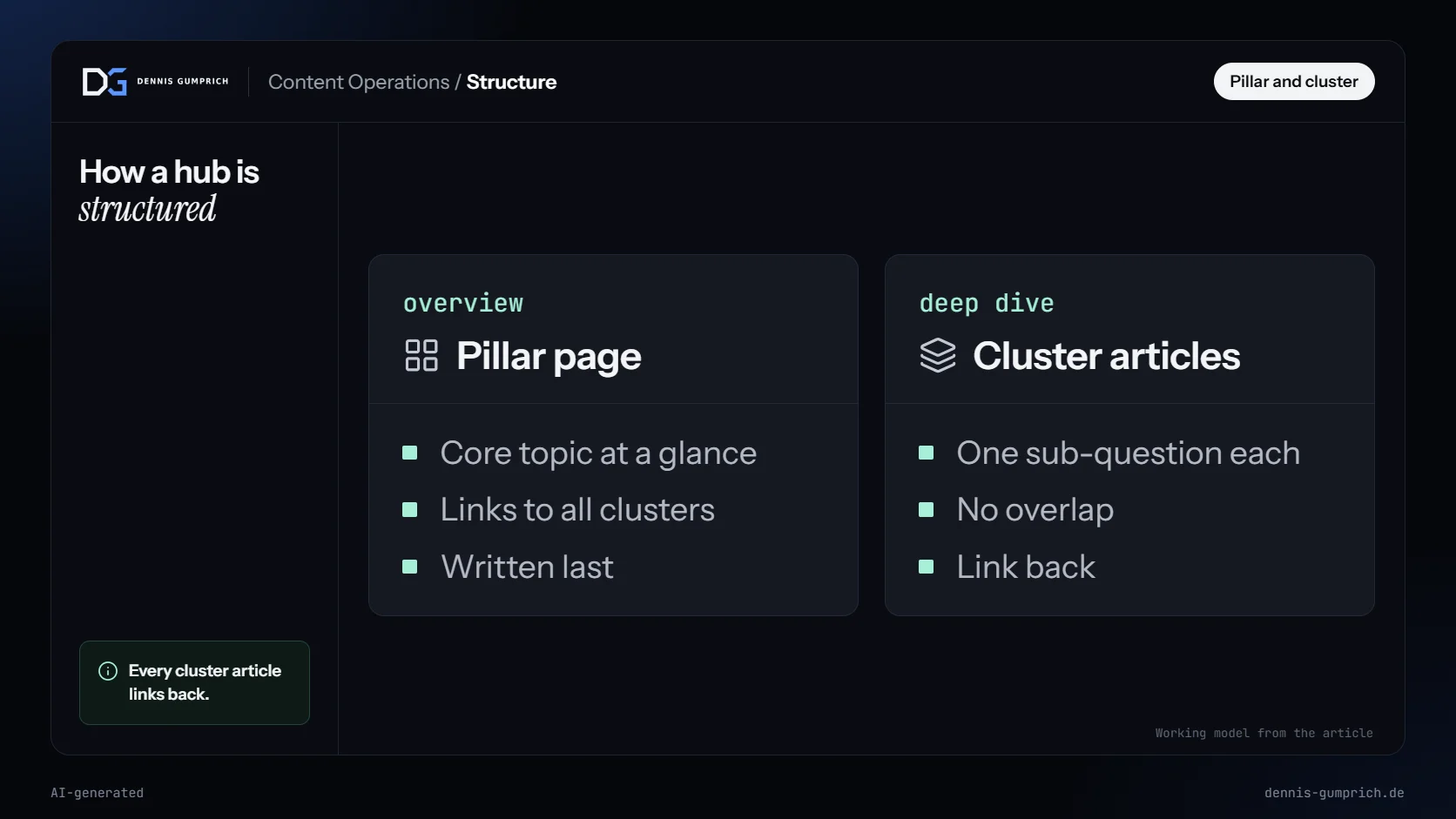
One example is the GEO area on this website. The pillar page GEO (Generative Engine Optimization) explains the topic as an overview and links to deep dives such as GEO vs. SEO, Google AI Overviews and llms.txt. Each deep dive points back to the overview.
Why is a content hub especially worthwhile for AI search?
Because AI search systems break a question down into many sub-questions and look for suitable sources for each one. A hub answers exactly these sub-questions, connected by clear links and with consistent statements. That increases the chance of appearing as a source several times.
Google describes the process for AI Overviews and AI Mode as query fan-out: in the background, several related searches on subtopics are run. A single page rarely covers all of these sub-questions, but a hub does. Add to that consistency: if all articles in a hub use the same key statements, a clear picture emerges instead of contradictory signals. More on how it works in GEO.
How does a content hub become a steering model?
By giving each hub a responsible person, a gap list of open questions, a maintenance rhythm and its own KPIs. Then the hub is not just navigation, but the unit in which you plan, produce and measure.
| Element | Content | Rhythm |
|---|---|---|
| Responsibility | One person per hub, for subject matter and editorial | Permanent |
| Key statements | Three to five approved statements on the topic | Review annually |
| Gap list | Open sub-questions from sales, service and research | Add to monthly |
| Maintenance | Updating the pillar page and the most important articles | Quarterly |
| KPIs | Visibility, inquiries, mentions in AI answers per hub | Quarterly |
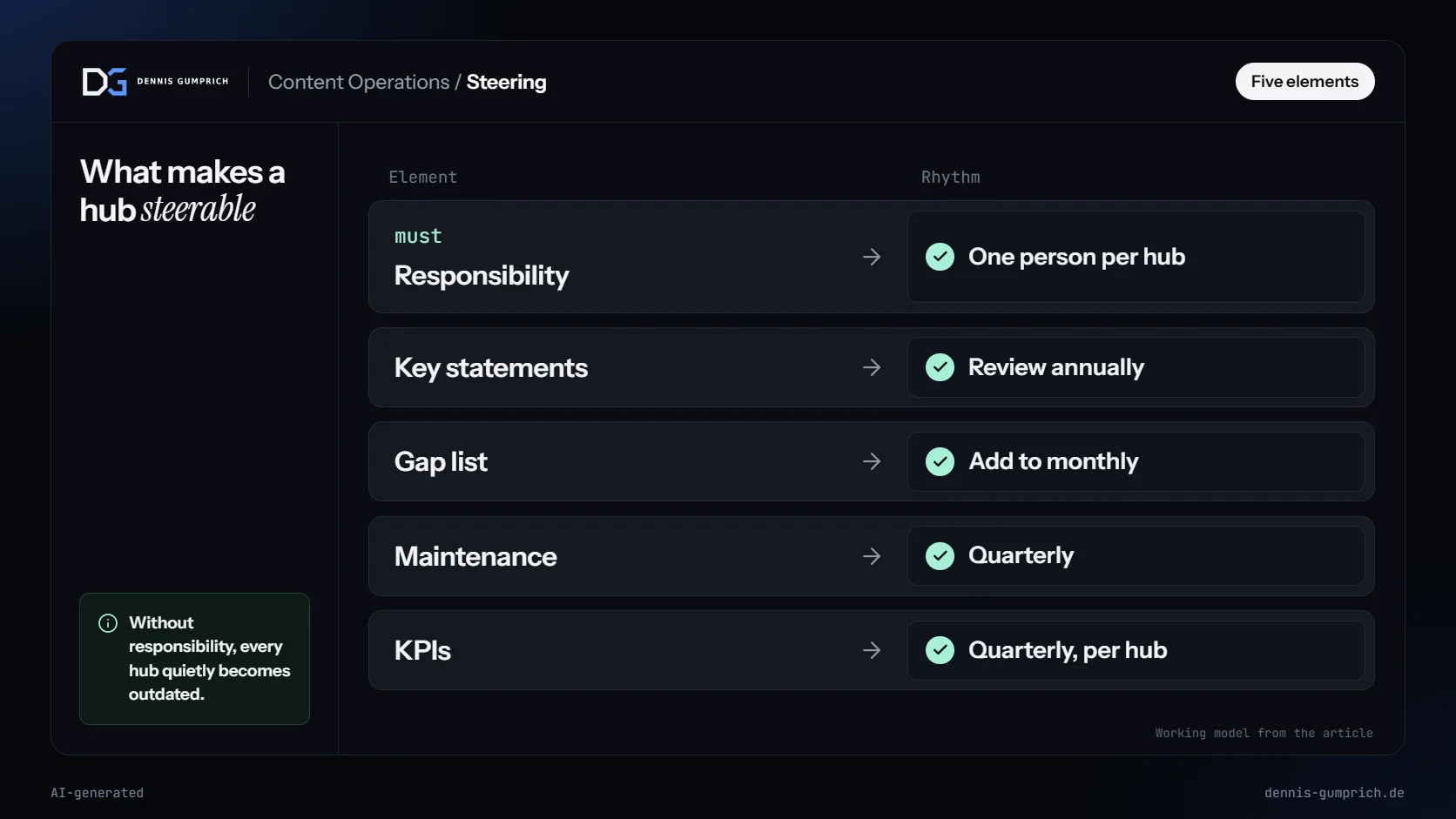
The advantage shows in planning. Instead of a long list of topics, you have a few hubs with clear gaps. New articles are created because a sub-question is missing, not because a slot in the editorial plan is free. How this logic changes the editorial plan is described in From editorial plan to topic plan. How a newsroom works as a hub for communication is covered in Corporate newsroom.
I built the topic area "Visibility in Search and AI" on this website as a hub myself. Five lessons from it:
- Name the area after the readers' question, not after the acronym. I discarded "GEO and AI search" because acronyms change faster than a category should last. "Visibility in Search and AI" covers SEO, AEO, GEO and whatever comes along in a year or two.
- Settle the classification before publishing. Six articles first sat under "AI Quality and Governance". Moving them meant new addresses, redirects, adjusted internal links and a short ranking dip. The later, the more expensive.
- Hub articles instead of subcategories. One overview as the entry point, plus basics, measurement and implementation via internal links. That keeps the addresses stable even as the topic grows.
- Check for overlaps early. The comparison turned up three duplicates, such as two articles on measuring visibility. Since then, focus keyword, search intent and distinction are fixed before I write.
- A topic area only holds up with fresh content. With six articles it looks thin; about one new article per month keeps it alive.
How do you build a content hub in five steps?
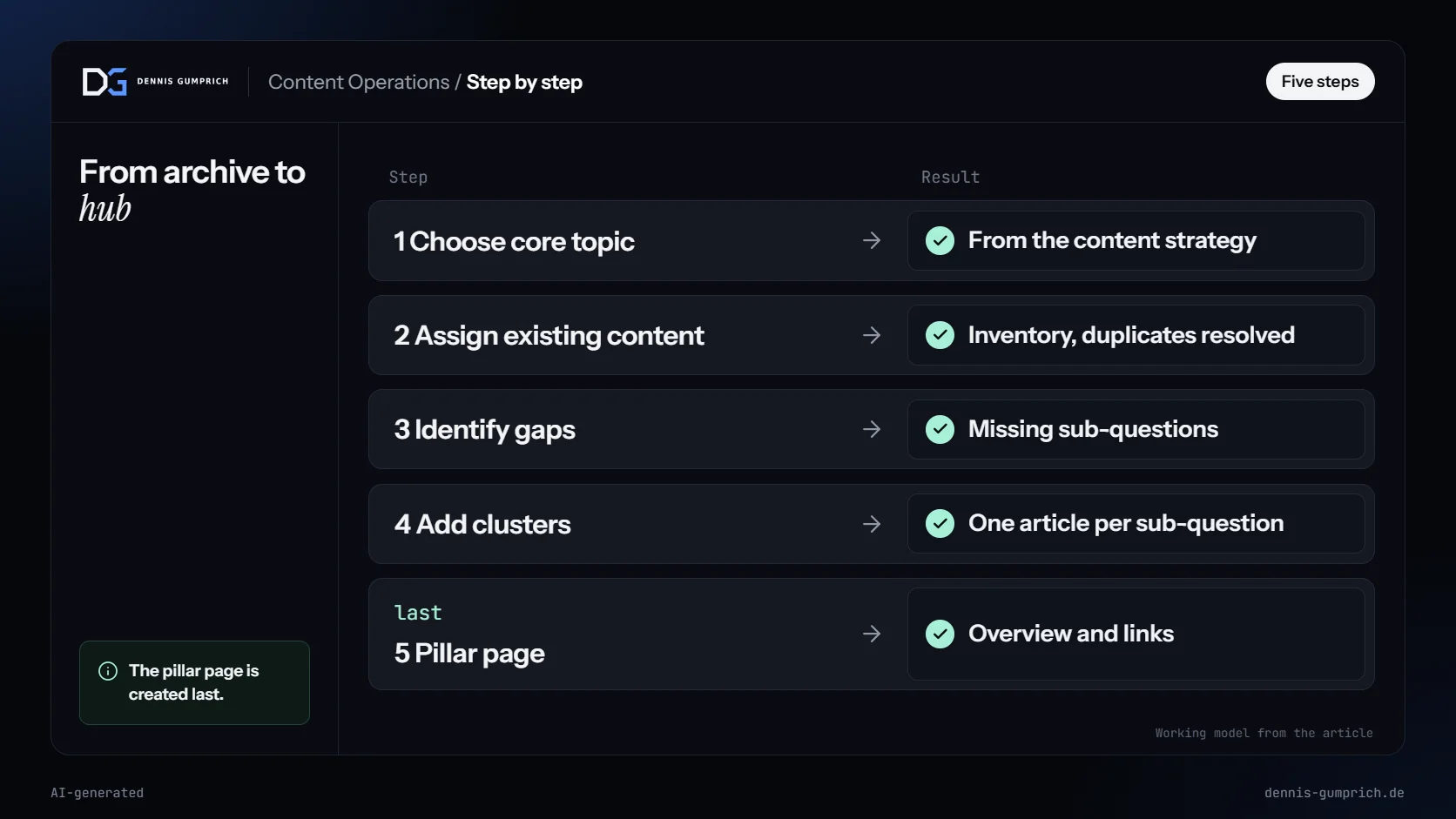
Choose the core topic, assign existing content, identify gaps, add cluster articles and write the pillar page last. Then link everything and add the hub to the maintenance rhythm.
- Step 1Choose the core topicA topic that carries your business and on which you have something of your own to say. It comes from the content strategy.
- Step 2Assign existing contentA content inventory shows which articles already fit, which duplicate each other and which should be merged.
- Step 3Identify gapsQuestions from sales and service plus search data reveal the sub-questions that are still missing.
- Step 4Add clustersOne article per sub-question, without overlaps. Existing articles are revised before new ones are created.
- Step 5Write and link the pillar pageOnly now is the overview created. It links to all clusters, and each cluster links back.
How many content hubs do you need?
As many as you have core topics, usually three to five. More hubs than you can maintain lead back to a topic collection.
A rule of thumb from practice: each hub needs a responsible person with a few hours per month for the gap list and maintenance. If you plan five hubs but only have one person for them, start with two. Better two complete hubs than five half-finished ones.
One person at headquarters, not a committee. At a wholesaler I work with, one person from corporate communications takes over the new content hub, the same person who previously owned the tool selection and the requirements catalog. If you know the requirements, you can also steer the hub.
Steer centrally, contribute locally. At a software partner in the simulation field, the Content Lead Europe steers the hub and the countries roll it out. A heating technology group works the same way: three to four people in the group prepare, and one person per country implements.
Assign expertise clearly. At an industrial company, product content sits with product management and the website with marketing. Without clear responsibility for the hub, two separate truths emerge.
Five mistakes with content hubs
- The hub as a link listA page with 30 links and no context is an archive. The pillar page needs substance of its own.
- Writing the pillar page firstIf you write the overview before the deep dives, you create duplicates. It comes last.
- Overlapping clustersTwo articles on the same sub-question compete with each other. Merge instead of adding.
- No responsibilityWithout a person who maintains the hub, it quietly becomes outdated. The pillar page is then the first page to contradict itself.
- Too many hubsEvery hub needs maintenance. More hubs than capacity lead back to a topic collection.
Self-check: do you have hubs or an archive?
Tick everything that applies to you.
a short note on the structure of our content:
Our blog is organized by date. Sales and prospects find several, sometimes contradictory articles on a topic, but no overview. AI search systems break questions down into sub-questions and benefit from areas that cover a topic completely and consistently.
I suggest starting with two content hubs on our most important core topics: assign existing content, close gaps, write one overview page each and name one responsible person each.
Conclusion: a hub only becomes a hub with responsibility
A content hub organizes content by topic, guides visitors from overview to depth and covers the sub-questions that AI search systems also ask. But it only develops its full effect as a steering model: with a person who owns it, a list of open questions and a fixed maintenance rhythm. Without that, every hub eventually turns back into a topic collection.
Frequently asked questions
What is a content hub?
An area of a website that bundles all content on a core topic via a central overview page. It leads from the overview to in-depth articles and organizes content by topic instead of by date.
What is the difference between a content hub and a topic cluster?
The topic cluster describes the structure of a pillar page and linked deep dives. The content hub is the area on the website where this structure becomes visible to visitors. In practice, both terms are often used interchangeably.
What is a pillar page?
The central overview page of a hub. It covers the core topic as an overview and links to all articles that go deeper into individual sub-questions.
How many articles does a content hub need?
As many as there are important sub-questions on the topic, often six to twelve. What matters is that the articles don't overlap and fully cover the target group's questions.
Is a content hub the same as HubSpot Content Hub?
No. HubSpot Content Hub is a software product. A content hub in the sense of this article is a structure for content that can be implemented with any CMS.
Where does your content process lose time today?
In 30 minutes, we look together at where unnecessary coordination, manual tasks, tool switching or repetitive content work cost you time today.
If you want to turn your blog archive into content hubs, we assign your existing content to core topics together and find the biggest gaps.
Analyze your content process in 30 minutes Free of charge. You take away concrete starting points you can use internally right away.
Dennis Gumprich
Dennis helps marketing and communication teams fit generative AI into existing content processes without undermining quality, brand voice and approvals. Focus areas: content operations, AI governance and tool selection in mid-sized companies and corporations.
Transparency note: Dennis works for contentbird, a provider of AI-powered content software. Product mentions are marked in the article. More about Dennis (in German) · LinkedIn
Read more
Sources
- Elise Dopson, Content Marketing Institute: How to Get Ranked and Read With the Topic Cluster Content Model, article of October 30, 2018: pillar page as an overview, cluster pages without overlap, linking back to the pillar page, writing the pillar page last, description of the model by HubSpot Research in 2017. Accessed November 7, 2026.
- Google Search Central: AI features and your website, documentation, as of December 10, 2025: query fan-out with several related searches on subtopics in AI Overviews and AI Mode. Accessed November 7, 2026.
How this article was created
This article was created with the help of AI. Structure, research and draft wording were developed with AI support. Professional assessment, review of the statements and the final version are the responsibility of Dennis Gumprich. The English version was translated with AI and reviewed. Read the original German version.
How reliable are the statements?
The topic cluster model comes from the content marketing literature, the statement on query fan-out from Google's documentation. The steering model, setup steps, rule of thumb on the number of hubs and list of mistakes are working models from consulting practice with marketing and communication teams in 2026, not measured values.