
The decision has been made: the new system arrives at the start of the quarter. In the meeting, someone asks what will happen to the existing content. It goes quiet for a moment.
The old repository holds 1,400 files. Nobody knows how many of them are still needed, which one is the current version and which ones only exist because someone copied them back then. The migration is not the problem yet. The problem is that you do not know what you want to migrate.
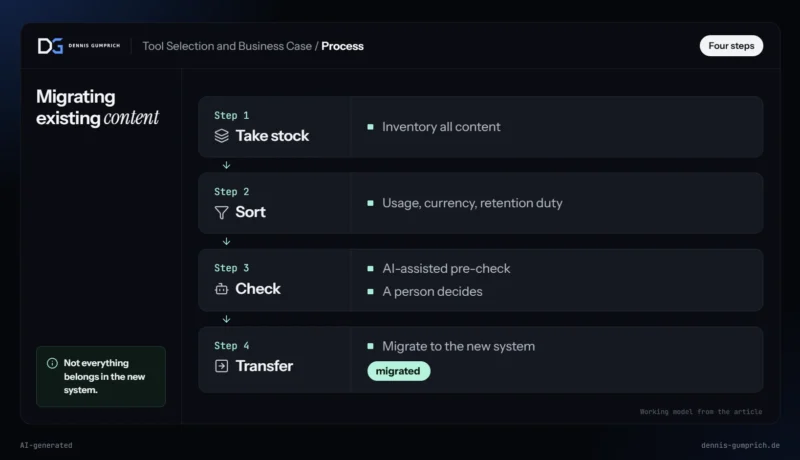
A migration is not a data transfer but a selection decision. If you take everything with you, you move your disorder into a new system. A sound approach is a clean cut: migrate active content, prepare reusable templates, archive the rest instead of moving it. How to introduce the new system afterwards is described in the article on pilot and rollout. Which questions should be clarified beforehand is shown in the guide Involve IT and data protection early.
Why complete migrations fail
The wish to take everything along is understandable. Nobody wants to be the person who deleted a document that is needed later. So everything is transferred, and the new system holds the same amount of unsorted content as before.
The damage is not caused by the volume but by its effect on usage. A new system is adopted when it is clearer than the old one. Transferring 1,400 unsorted files removes exactly this advantage. People keep searching, just in a different place, and conclude that the switch achieved nothing.
The second effect concerns currency. Every grown repository contains versions that are outdated in substance. As long as they sit in an archive, they do little harm. As soon as they appear in the active system, they are found and used, often without checking how current they are.
That is why a migration does not start with the question of how content is transferred, but with the question of which content you want to see in the new system at all.
Which content belongs in a migration, and which does not?
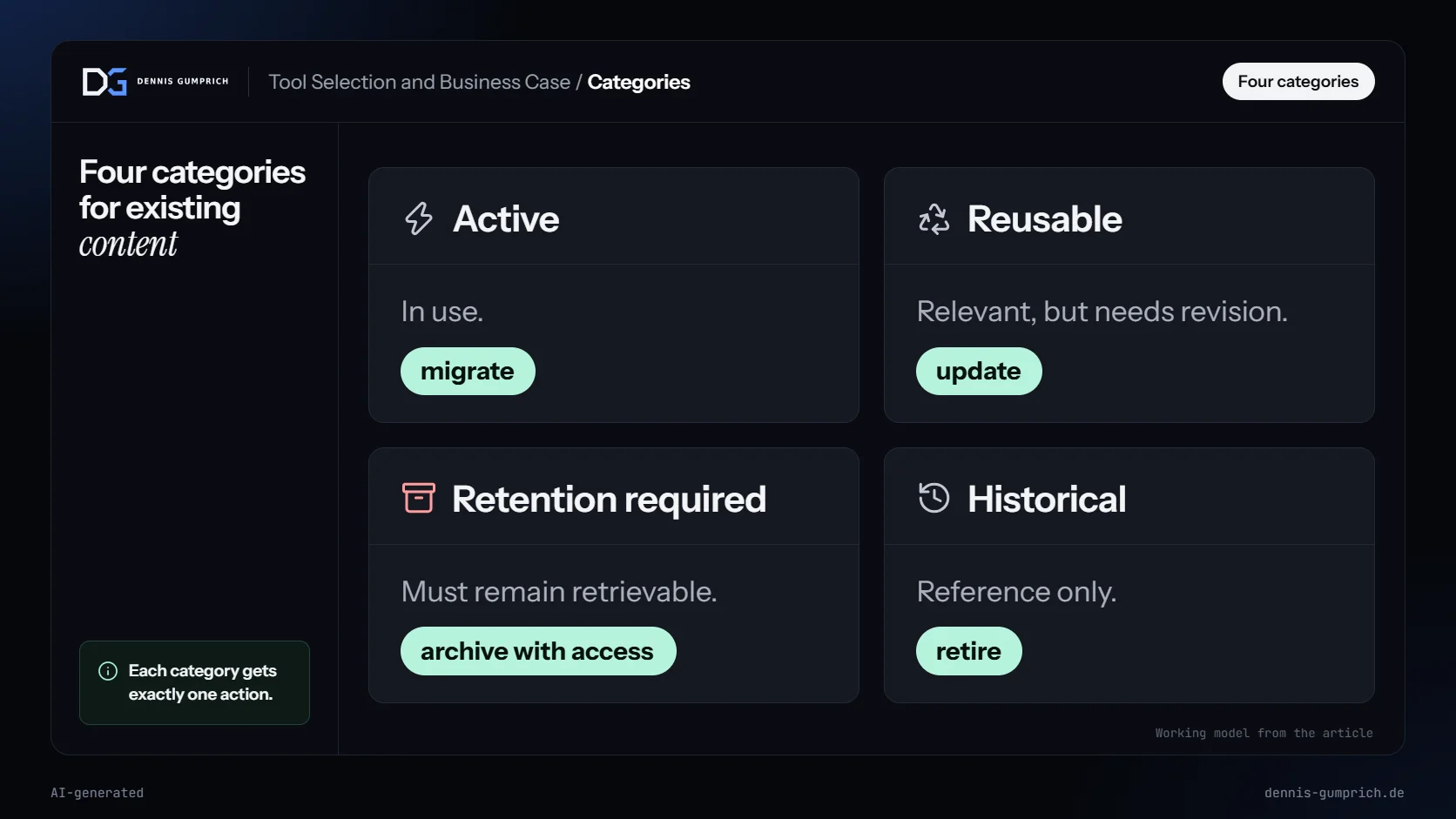
Four categories, and only one is migrated in full: active content that is used and linked on an ongoing basis. Reusable material such as templates and approved wording is prepared and recreated instead of copied. Content subject to retention requirements is archived, not transferred.
Active
Content that is used, updated or linked on an ongoing basis. Usually far less than assumed.
Action: migrate in full, including metadata.
Reusable
Templates, text modules, approved wording, sample texts. The real value of a grown repository.
Action: prepare and set up as a template, do not copy as a file.
Retention required
Content that has to be kept for legal or contractual reasons but is not needed in daily work.
Action: archive, do not migrate. Clarify retention periods with your legal department.
Historical
Everything else: old drafts, duplicates, outdated versions, material on discontinued products.
Action: leave in the old system or back up collectively.
Experience from conversations shows a distribution that surprises many: the active share is often in the low double-digit percentage range. Most of a grown repository is no longer used, only stored.
A related logic is described by the consultant Robert Weller in his 2022 article "On the business value of content audits" (in German). He explicitly names migration and a CMS switch as occasions for an audit, separates the inventory, that is, what exists, from the analysis of how good it is and why, and implements the results according to DUCK: delete, update, consolidate, keep. He also considers frequent small audits better than large infrequent ones. This is the assessment of a single consultant, not a survey. For you, this means: decide for active content before the move what gets updated or consolidated, and after the cutover date plan small regular reviews instead of the next big campaign.
How do you review the repository without losing weeks?
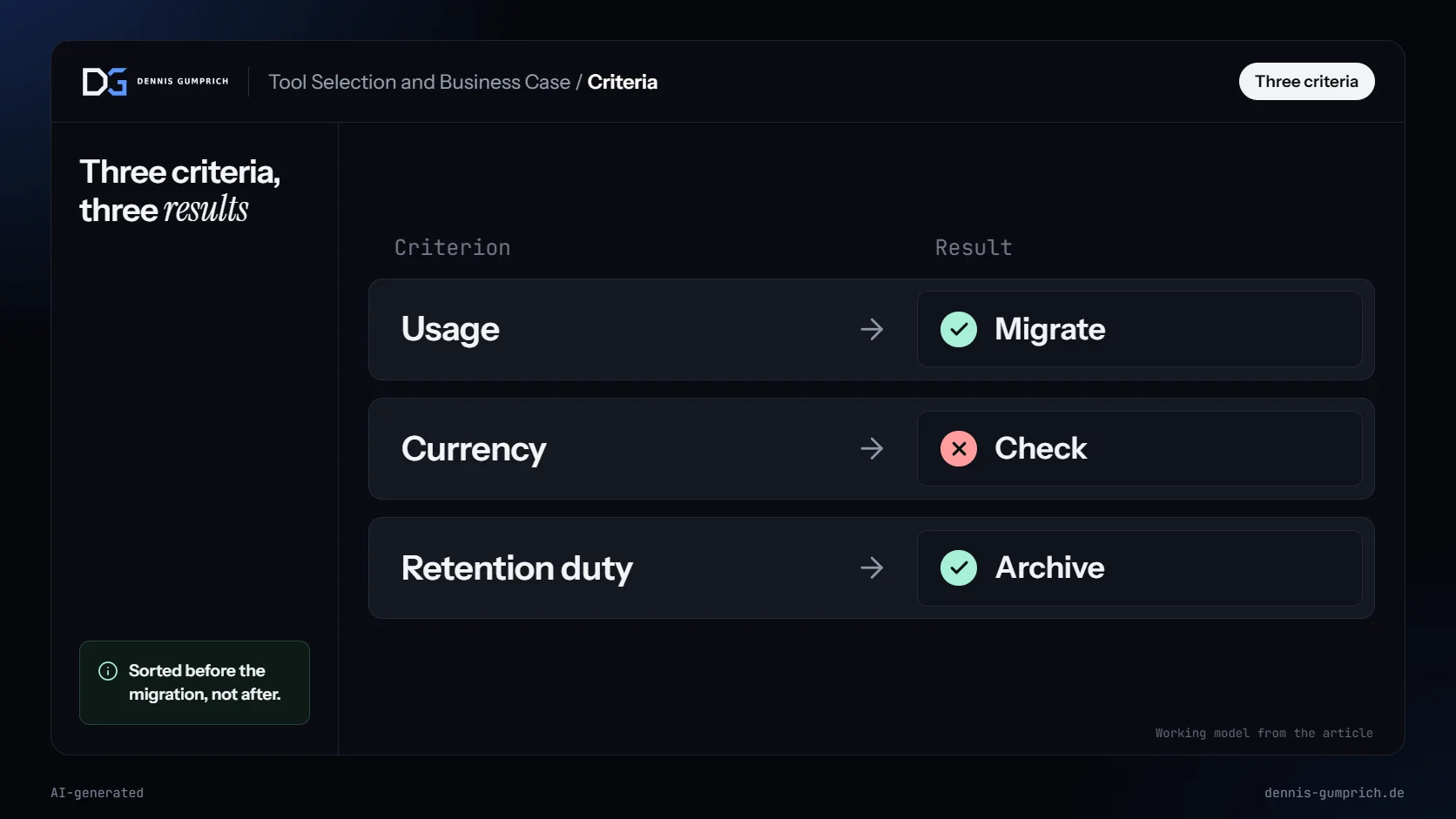
Not file by file, but via three criteria that can be evaluated automatically: last modification date, incoming links from active pages, and file type and storage location. This lets you pre-sort most of the repository before anyone reads anything.
A file-by-file review is not feasible for grown repositories and not necessary either. Three criteria are enough to classify most of the content automatically.
| Criterion | Rule | Provisional category |
|---|---|---|
| Last modification | within the last 12 months | active, individual check |
| Last modification | older than 24 months, no links | historical |
| Links | linked from an active page | active, regardless of age |
| File type and location | stored in the templates folder or has "template" in its name | reusable |
| Contract reference | quote, contract, evidence | retention required |
After this pre-sorting, a manageable amount remains that actually has to be looked at individually. This is where you should plan your time, instead of spending it on reviewing the entire repository. How to assess this content is described in Content inventory: what you have before you plan something new.
A point that is often overlooked: the review is the right moment to find outdated statements. Check the content you migrate for obsolete information, especially figures without a reference date and product names that no longer exist.
Why does the cutover date determine the migration effort?
The most common cause of failed switchovers is not the transfer but parallel operation. As long as people can keep working in the old system, some will, usually for good reasons: it is familiar and faster in the moment.
This creates two versions of the truth. Content is changed in both places, versions drift apart, and the question of which one is valid can no longer be answered. After a few weeks, the situation is worse than before the migration.
The way out is a fixed cutover date with a clear separation: from this date, the old system is read only, no longer written to. Read access usually remains for three months so that forgotten content can be brought over. After that, it is archived.
This cutover date must be communicated before the migration starts, not afterwards. If you only announce it once the new system is in place, you end up negotiating it.
What you should take the opportunity to do
Transfer everything unchanged, including the old folder logic and file names that nobody understood even before.
Introduce consistent naming during the transfer, derive templates from existing texts and move verified information into the knowledge base.
The middle point is the most valuable. Every grown repository contains wording that has proven itself: good introductions, clear explanations of recurring topics, approved legal notes. Collecting these during the migration gives you a template library that would never have come about otherwise.
What the old repository teaches you about yourselves
Reviewing a grown repository answers questions on the side that nobody would otherwise ask. It shows which topics you have repeated over the years, which formats were actually used and where work was done twice.
The distribution by format is particularly revealing. In many repositories, a considerable share of the work went into formats that were hardly used, while the content that was actually used came from a few people. That is a useful basis for deciding what you produce in future.
Just as often, you discover duplicates: the same explanation of a topic in four variants, each written by a different person because the existing one could not be found. Each of these is a candidate for a template and at the same time evidence of what poor findability costs.
Note such observations briefly during the review. They are hard to reconstruct later because the old repository will be archived by then, and they are a strong argument for why order in the new system pays off.
Five mistakes in a migration
- Transferring everythingIf you avoid the selection, you transfer the disorder. The new system loses exactly the advantage you switched for.
- No cutover dateWithout a fixed switchover date, parallel operation arises, and versions drift apart.
- Treating the migration as a purely technical taskThe decision about what stays is a content decision. It belongs to the people who work with the content, not to IT.
- Overlooking retention periodsSome content has to be kept. Before archiving, clarify which content is affected and for how long.
- Copying templates as filesA template only delivers its value once it is set up as a template. As a copied file, it remains one among many.
How do you plan a content migration in five steps?
In four weeks: week one pre-sort, week two check active content individually and derive templates, week three clarify retention periods with the legal department and archive, week four implement the cutover date and set the old system to read only.
- Week 1Pre-sortAutomatically divide the repository into the four categories by modification date, links and location. The result is a list, not a decision.
- Week 2Check active contentLook at this category individually only, mark outdated information and add a reference date to figures.
- Week 2Derive templatesExtract recurring wording and structures from the repository and set them up as templates.
- Week 3Clarify retention and archiveAgree on content subject to retention requirements with the legal department and store it securely, do not transfer it to the new system.
- Week 4Implement the cutover dateSwitch the old system to read only, communicate the follow-up period, set an end date for archiving.
The second step regularly brings an uncomfortable insight: some of the actively used content contains information that is no longer correct. That is no reason to delay the migration, but it is a reason not to transfer this content unchecked. What you correct now, you correct once. What you take along will be used again.
Self-check: are you ready for the migration?
Tick everything that applies to you.
A quick alignment on migrating our content:
We deliberately do not transfer the entire repository. Instead, we sort it into four categories: actively used content, reusable templates, documents subject to retention requirements and historical material. Only the first category is migrated, the second is prepared.
Reason: if we take everything, we transfer today's disorder and lose the advantage of the new system. Outdated versions would also become findable again and therefore usable.
We propose a fixed cutover date. From that date, the old system is read only, with a follow-up period of three months. We will agree on content subject to retention requirements with the legal department beforehand.
Conclusion: selection beats completeness
A migration is the rare opportunity to consciously organize a grown repository once. If you treat it as a pure transfer, you waste it and start in the new system with the old problems. If you treat it as a selection decision, you end up with less content that is findable and current. If the migration is part of a relaunch, Website relaunch: clarify the content process first, then the CMS describes what you should clarify before choosing a system.
Frequently asked questions
What if we get the selection wrong?
That is why the old system is archived and not deleted. Content that turns out to be needed later can be brought over. This option takes the pressure off the selection decision and is the reason why an archive is more important than a complete migration.
Who should make the selection?
The people who work with the content every day, not the project lead and not IT. They recognize within seconds whether a document is still in use. A central review takes longer and leads to worse decisions.
How long should the follow-up period be?
Three months has proven effective. Shorter creates pressure and exceptions, longer means the switchover is not taken seriously. Read access is what matters: without it, resistance builds up; with it, the cutover date loses its sting.
Should we automate the migration?
The transfer yes, the selection no. Automation helps with pre-sorting by date, location and links. Whether content stays cannot be derived from metadata, because that is exactly where the exceptions get lost.
When is the best time?
Before the introduction, not afterwards. If you start first and do the migration later, you inevitably work in both systems for a while. This parallel operation is the most common reason for version conflicts.
Where does your content process lose time today?
In 30 minutes, we look together at where unnecessary coordination, manual tasks, tool switching or repetitive content work cost you time today.
You get a concrete assessment of which tasks you can simplify, automate or organize better, and where AI and tools actually help instead of adding complexity.
Analyze your content process in 30 minutes Free of charge. You take away concrete starting points you can use internally right away.
Dennis Gumprich
Dennis helps marketing and communication teams fit generative AI into existing content processes without undermining quality, brand voice and approvals. Focus areas: content operations, AI governance and tool selection in mid-sized companies and corporations.
Transparency note: Dennis works for contentbird, a provider of AI-powered content software. Product mentions are marked in the article. More about Dennis (in German) · LinkedIn
Read more
Sources
- Anna Kaley, Nielsen Norman Group: Content Inventory and Auditing 101, article of September 27, 2020: inventory and audit before redesign projects to decide which content is carried over, with the creation or modification date as a data point. Accessed October 31, 2026.
- German Federal Ministry of Justice: Section 257 of the German Commercial Code (HGB), retention of documents (in German), current version: commercial letters six years, accounting records eight years, ten years for credit institutions and insurers. Cited as an example; retention periods differ from country to country. Accessed October 31, 2026.
- Robert Weller, Toushenne: Über den Business Value von Content Audits (On the business value of content audits, in German), article of September 9, 2022: distinction between inventory (what exists) and analysis (how good, why); occasions include relaunch, migration and CMS switch, rebranding, localization and change of responsible people; ARA and ROT grids after Bloomstein, implementation according to DUCK (Delete, Update, Consolidate, Keep); frequent small audits better than large infrequent ones. Opinion and expert article by an independent consultant who names contentbird as a project reference, no collected data. Accessed October 31, 2026.
How this article was created
This article was created with the help of AI. Structure, research and draft wording were developed with AI support. Professional assessment, review of the statements and the final version are the responsibility of Dennis Gumprich. The English version was translated with AI and reviewed. Read the original German version.
How reliable are the statements?
Evidence exists for reviewing the repository before a system switch with the modification date as a criterion (Nielsen Norman Group) and for statutory retention obligations for commercial letters and accounting records, using Section 257 of the German Commercial Code as an example, which are relevant for content such as quotes and contracts; retention periods differ by country. Migration and CMS switches as an occasion for a content audit with implementation according to DUCK are also covered (article by Robert Weller, the assessment of one consultant). The categories, the pre-sorting rules and the time frames are explicitly marked as working models, not measured values. The note that the active share of a repository is often in the low double-digit percentage range is an empirical value from consulting conversations. The 1,400 files in the introduction are an example. Status: October 31, 2026. Legal note: this article does not replace legal advice. Which retention obligations apply to your documents and for how long should be clarified by your legal department.